Showing posts with label line. Show all posts

Thursday, June 10, 2010

SurveyMonkeying-A-Round

This year, I used SurveyMonkey for the first time. Some people in my professional writing organization (STC, Society for Technical Communication) had ushered in its usage a few years ago for the annual salary survey for the area. The version we subscribe to is Unlimited. (The free version allows only 10 questions and up to 100 responses.) The pricing page shows a page of features for Free, Pro, and Unlimited. Except for the billing commitment, there appears to be scant difference between Pro and Unlimited.

In February, I finally dived into using the tool when my request (plea?) for a volunteer to conduct the survey yielded a few polite declines. I logged into our SurveyMonkey's account to see what was there. Fortunately, I did receive a guideline document; otherwise I would have been totally lost. In any case, SurveyMonkey's online help was extremely helpful. I felt the tool itself was extremely well-designed and user friendly—a lot of intuitiveness built in for the intermediate tool user. There were ways to clone surveys, copy questions, move questions, select answer options, …. There are expansive explanations of all the features.

At SurveyMonkey's Design Survey section, I navigated a prototype survey and explored response types. I checked out behaviors for multiple choice (check-all-that-apply), single-selection of multiple options ("radio button", dropdown listbox), and open-end answers ("other", fill-in). There were options for presenting possible responses horizontally, vertically, and grid configuration. The advantage for an x-by-y matrix is saving vertical space.

Another response setup that saved vertical space was using the dropdown listbox for single-selection of multiple options, if there were at least four response possibilities. If fewer than four, there was virtually no vertical space savings. For few-answer-option questions, I felt it was more user friendly that all possible answers were visible at the same time.

Why did I concern myself with vertical space? I wanted to present a survey that appeared to be shorter than if all answer possibilities made it visually long. I sensed an overly long survey might fatigue the participants and maybe decrease the chances they would take or complete the survey. Putting some response possibilities in grids and some others in dropdown listboxes required less vertical space for the entire survey than listing line-by-line selections.

After setting up the survey in March, I sent a dry-run version to the board using the Collect Responses feature, then did a cursory analysis using Analyze Results. After minor tweaking, I set up the survey for the public and launched it in early April, sending out several emails over about three weeks requesting participation from technical communicators.

After I finished collecting the data, having set a shut-off date in SurveyMonkey, I moved to the data analysis stage. At the Analyze Results section, I re-acquainted myself with graph types and appropriate uses. The graphs I used were pie, column, and line. Later, when I presented the results, I concluded that in some instances, bar graphs would have better conveyed information than column graphs. But there needs to be judicious use and consistency for bars rather than columns—the biggest reason being if the column charts showed vertically rotated text.

SurveyMonkey's graphing options were actually fun. At the Create Chart option, the following choices were available:

  • Chart shape/type
  • Number of answer choices to show
  • Sort by answer quantity
  • Show or hide a chart title, the default text being the question itself
  • Labels for response number, percent, both, or none
  • Location of the labels, inside or outside the graphic

Clicking Download Chart created the chart. Right-clicking the selection to create the chart in a new window was effective. If I wanted to vary my selections, it was easy to return to the Create Chart option and try something else. On the other hand, I found that SurveyMonkey's graphing capability lacking with regard to answers to open-ended questions. To make suitable graphs for those responses, I used Excel formulas.

In May, I presented the salary results to the STC Austin chapter meeting. My presentation showed a hybrid of a few updated parts from the previous year's presentation, but mostly graphs of each question's responses for this year. I handed out hardcopies of the report that reflected mainly a subset of responses—those pertaining to salaried, full-time technical communicators.

During the week after my presentation, I created a supplement document that went into detail about the questions that required "other" responses and fill-ins. I also wrote about survey design changes from the previous year and specific areas for possible future handling of some questions. All three survey documents—report, presentation, supplement—are available at http://www.stcaustin.org/employment-mainmenu-30/13-salaries/2-salary-survey-results-available.

Conducting this year's salary survey was eye-opening for methodology, learning SurveyMonkey, writeups, and coming up ways for improving the 2011 version. I have listed some survey resources below:

Excel formulas I used are as follows:


=MIN([cellposition1]:[cellposition2]) <- lowest value

=Quartile([cellposition1]:[cellposition2], 1) <- 1st quartile, aka 25th percentile

=AVERAGE([cellposition1]:[cellposition2]) <- mean

=MEDIAN([cellposition1]:[cellposition2]) <- median, midpoint, aka 50th percentile, also calculable using 2nd quartile

=Quartile([cellposition1]:[cellposition2], 3) <- 3rd quartile, aka 75th percentile

=MAX([cellposition1]:[cellposition2]) <- highest value

=COUNT([cellposition1]:[cellposition2]) <- quantity of responses

Tuesday, March 9, 2010

Technical Communications Means

YouTube playlist for this article,
playlist compilation article


Telephone and mail correspondence—mostly referenced in songs, movies, and a few TV shows are the technical communications means I'm talking about. At the time of those media release, they reflected the prevailing technology for non-f2f interactions. Back then, letters did not reach recipients within seconds, older phone calls person-to-person required manual dialing on a rotary dial (woe if numbers were 8s, 9s, or zeros and your dialing finger slipped), and there was no Caller ID nor answering machine. Cheap mass mailing? Fuggedaboutit!

Especially regarding songs that mention phones, references to phone call costs (dime, 40 cents more, …) and dialing contrast sharply to current call charges and keypad or memory-number inputs. One carryover from dialing days seems a bit amusing to me: the feature called "redial". And how about "speed dial"? Another anachronism: "operator", an occupation that has gradually faded from phone call prominence but for which there are several songs that feature that term.

I've grouped some lists and links as follows:
  • Songs that Feature Letters
  • Songs that Feature Phones
  • Movies that Feature Phones and Letters
  • TV Shows that Feature Phones
Songs that Feature Letters

"Gonna Sit Right Down and Write Myself a Letter" (written 1935), Billy Williams (recorded 1957).
Lyrics excerpt—

I'm gonna sit right down and write myself a letter
And make believe it came from you
"Love Letters in the Sand" (1957), Pat Boone.
Lyrics excerpt—

On a day like today
We passed the time away
Writing love letters in the sand
"Please, Mr. Postman" (1961), Marvelettes.
Lyrics excerpt—
please mr.postman
deliver the letter
the sooner the better
"Return to the Sender" (1962), Elvis Presley.
Lyrics excerpt—

So then I dropped it in the mailbox
And sent it special D.
"Sealed With a Kiss" (1962), Brian Hyland.
Lyrics excerpt—

I'll send you all my love
Everyday in a letter
Sealed with a kiss
"PS I Love You" (1962), Beatles.
Lyrics excerpt—

As I write this letter,
Send my love to you,
"All My Loving" (1964), Beatles.
Lyrics excerpt—

And then while I'm away,
I'll write home ev'ry day,
And I'll send all my lovin'to you.
"The Letter" (1967), Boxtops.
Lyrics excerpt—

my baby just a-wrote me a letter.
"Take a Letter Maria" (1969), R B GREAVES. (See the guy dictating into a tape recorder, starting about :29.)
Lyrics excerpt—

So take a letter Maria, address it to my wife
Send a copy to my lawyer
Songs that Feature Phones

"Beachwood 45789" (1962), Marvelettes. (Note that both "Beechwood" and "Beachwood" appear in search results. An image of the record label shows the correct name to be Beechwood. Oh, sunnybeeches!)
Lyrics excerpt—

Beechwood 4-5789
You can call me up and
Have a date any old time
"634-5789" (1970), Picket Wilson.
Lyrics excerpt—

All you gotta do is pick up your telephone and dial now…
"867 5309/Jenny" (1982), Tommy Tutone.
Lyrics excerpt—

Jenny, Jenny who can I turn to? (8-6-7-5-3-0-9)
For the price of a dime I can always turn to you.
"Call Me" (1965), Chris Montez.
Lyrics excerpt—

Call me, don't be afraid, you can call me
"Call Me" (1999), Blondie. (Note someone writing "636-1636" on someone's forehead at 1:18.)
Lyrics excerpt—

Call me on the line
"Reunited" (1979), Peaches and Herb.
Lyrics excerpt—

I wished I could climb right through the telephone line
"Memphis" (1959), Chuck Berry.
Lyrics excerpt—

Long distance information, give me Memphis Tennessee
Help me find the party trying to get in touch with me
She could not leave her number, but I know who placed the call
'Cause my uncle took the message and he wrote it on the wall
"Wichita Lineman" (1968), Glen Campbell.
Lyrics excerpt—

And the Wichita Lineman is still on the line
"Back in the USSR" (1968), Beatles. (Paul performs in Kiev in 2008.)
Lyrics excerpt—

Honey disconnect the phone
"Rings" (1974), Lobo.
Lyrics excerpts—

Ring ring telephone rings

Ring ring door bell ring

Ring ring golden ring

And let the wedding bell ring
"Ring Ring" (1973), ABBA. (See Agnetha and Anni-Frid use their index fingers to simulate dialing a telephone, about 2:34.)
Lyrics excerpt—

Ring, ring, why don't you give me a call
Ring, ring, the happiest sound of them all
Ring, ring, I stare at the phone on the wall

Related: YouTube audio mix using ABBA's "Ring Ring" and Blondie's "Hanging on the Telephone"
"Happy Together" (1967), Turtles.
Lyrics excerpt—

If I should call you up, invest a dime
"Do Ya Think I'm Sexy" (1978), Rod Stewart.
Lyrics excerpt—

Give me a dime so I can phone my mother
"Sylvia's Mother" (1992), Dr. Hook. (Note there's a phone booth in the background.)
Lyrics excerpts—

Sylvia's mother says "Sylvia's busy"
"Too busy to come to the phone"

And the operator says "40 cents more for the next 3 minutes"

And Sylvia's mother says "thank you for callin'"
"And, sir, won't you call back again?"
"Amish Paradise" (1996), Weird Al Yankovic.
Lyrics excerpts—

We haven't even paid the phone bill in 300 years

There's no phone, no lights, no motorcar
"Telephone" (2009), Lady Gaga.
Lyrics excerpt—

Call all you want, but theres no one home,
And you're not gonna reach my telephone.
A small subcategory—Operators

"Operator" (1972), Jim Croce.
Lyrics excerpts—

Operator, could you help me place this call,
'Cause I can't read the number that you just gave me,

You can keep the dime.
"Operator" (1975), Manhattan Transfer. (Note the bent arm and fist by the ear to simulate holding an operator's set.)
Lyrics excerpt—

Operator
Information
Please give me Jesus on the line
"Smooth Operator" (1984), Sade. (OK, so it's not about a phone operator.)
Lyrics excerpt—

He's a smooth operator,
smooth operator,
smooth operator,
smooth operator.
Movies that Feature Phones and Letters

Enemy of the State (1998), Will Smith.
Will's character gets tracked via cellphone usage, before current common GPS outfitting into phones.

Bill & Ted's Excellent Adventure (1989), Keanu Reeves.
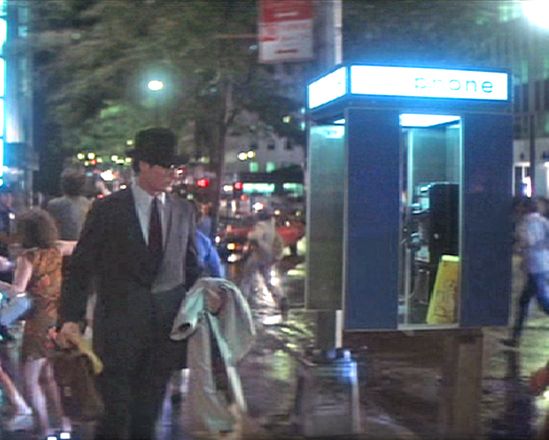
The phone booth serves as a good vehicle, as it could transport several people at any one time.

Superman (various releases and stars).
Superman typically switched out in a phone booth. One movie did reflect the downsizing of phone booths to a payphone surround, with Clark looking perplexed, needing to find an alternate changing room.

Matrix (1999), Keanu Reeves.
Characters travel through payphones lines. At the time the movie was in theaters, payphones were still common. Try to find a payphone these days.

My Best Friend's Wedding (1997), Julia Roberts.
This movie has both phones and letters. Julia's character drives a wagon while talking on a humongous cellphone, indicating an agedness in technology. In a different scene, she keeps a draft email, but inadvertently, the email goes out, resulting in stressful circumstances.

Vanity Fair (2004), Reese Witherspoon.
Correspondence letters are prominent in this story.

TV Shows that Feature Phones

Rowan & Martin's Laugh-In, featuring Lily Tomlin as Ernestine, the phone operator—one of many characters Lily developed. (Note she is at a switchboard, and at a later point, dialing the phone.)

Keeping up Appearances.
The main character Hyacinth often converses using a phone—YouTube instance, starting about 2:16. One clip shows Hyacinth dissed and thwarted in her attempts to use a phone.

"Night Call", a Twilight Zone episode.
A woman receives mysterious phone calls, but is regretful when they stop. They had been from her deceased fiancé, and he finally hung up on her.

As my compilation turns out, my focus is more on phones—letters seeming to loom not quite as large—in songs, movies, and TV shows. In any case, I hope visiting links brought entertainment, enlightenment, and a-muse-ment nevertheless. Note: Other resources (besides linked YouTube videos and lyrics sites) include Google and Wikipedia—mainly for release-year information—and IMDB for movie references.